


Vivaah
Rishtey that match what you want.
A free matrimony app. Make the profile yourself, or for your son, daughter, brother or sister.

Sent a biodata, then calls from numbers you don’t know?
On Vivaah, you see each other’s number only after you both say yes to an interest.
How it works
-
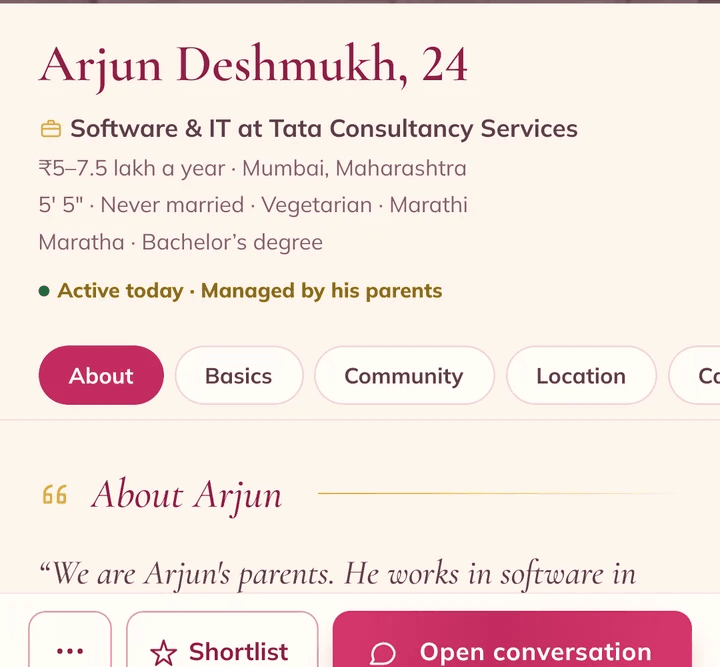
Make the profile
For yourself, or for your son, daughter, brother or sister. Every profile shows who manages it.
-
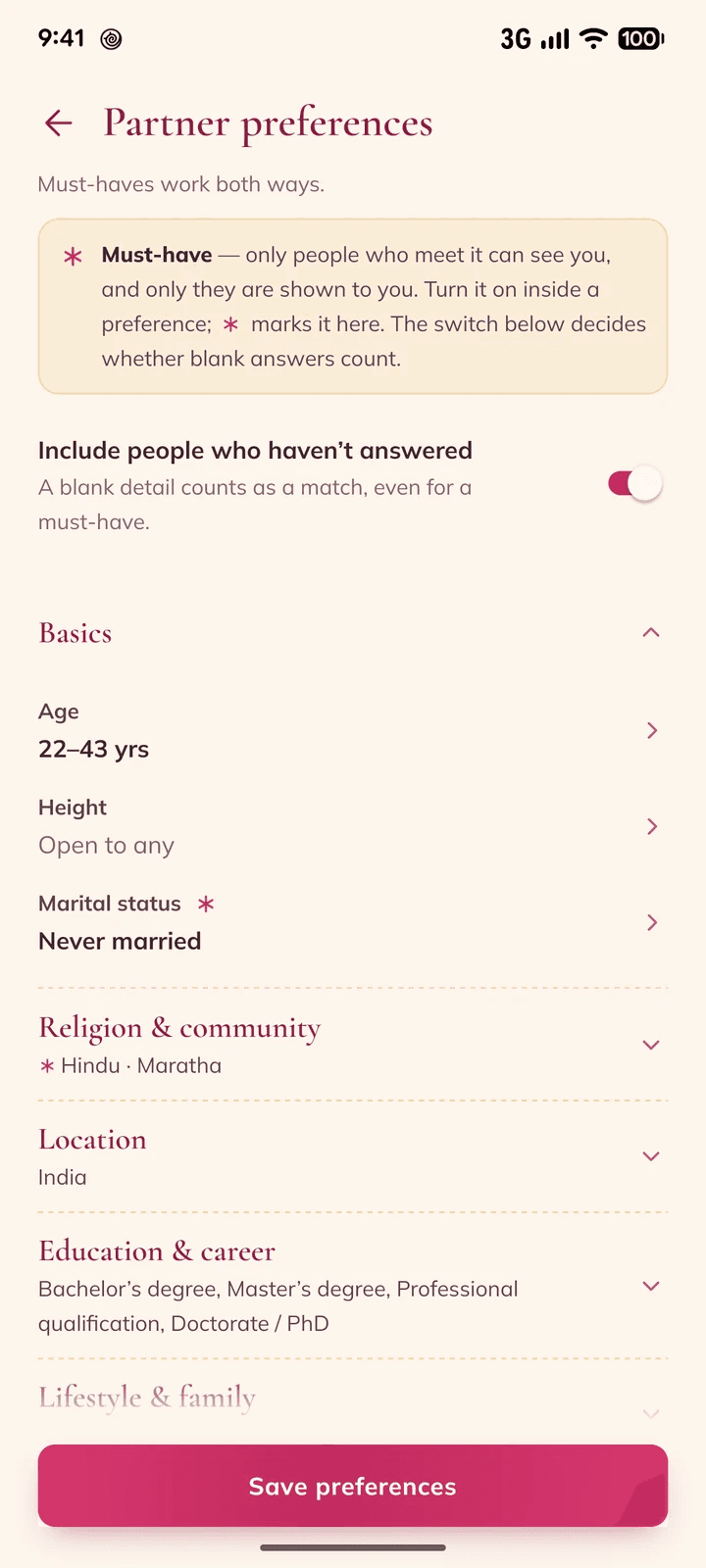
Pick your must-haves
Age, education, community, state and more. Someone who doesn’t meet them can’t send you an interest.
-
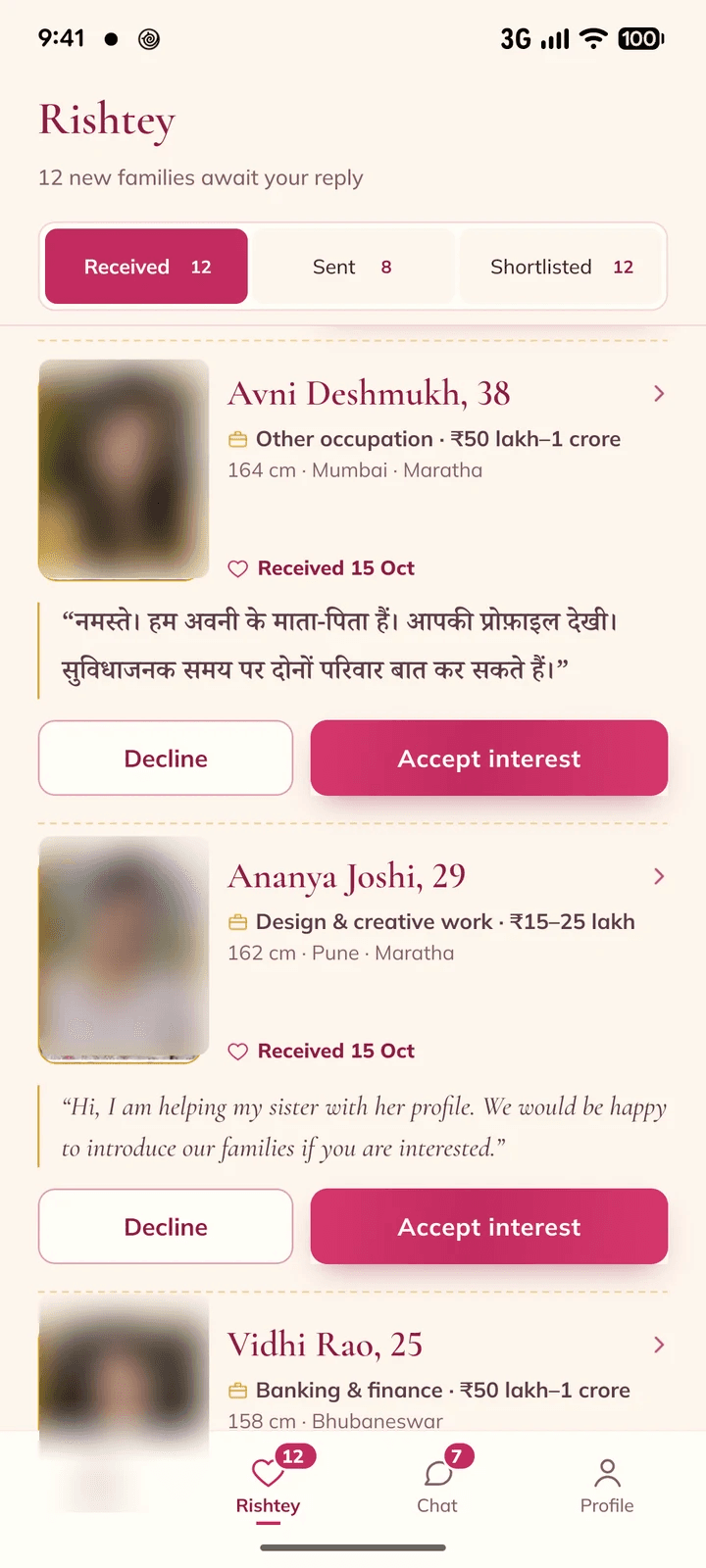
Say yes to the interests you like
See who sent each one and what they wrote. Nobody can send more than 20 interests a week.
-
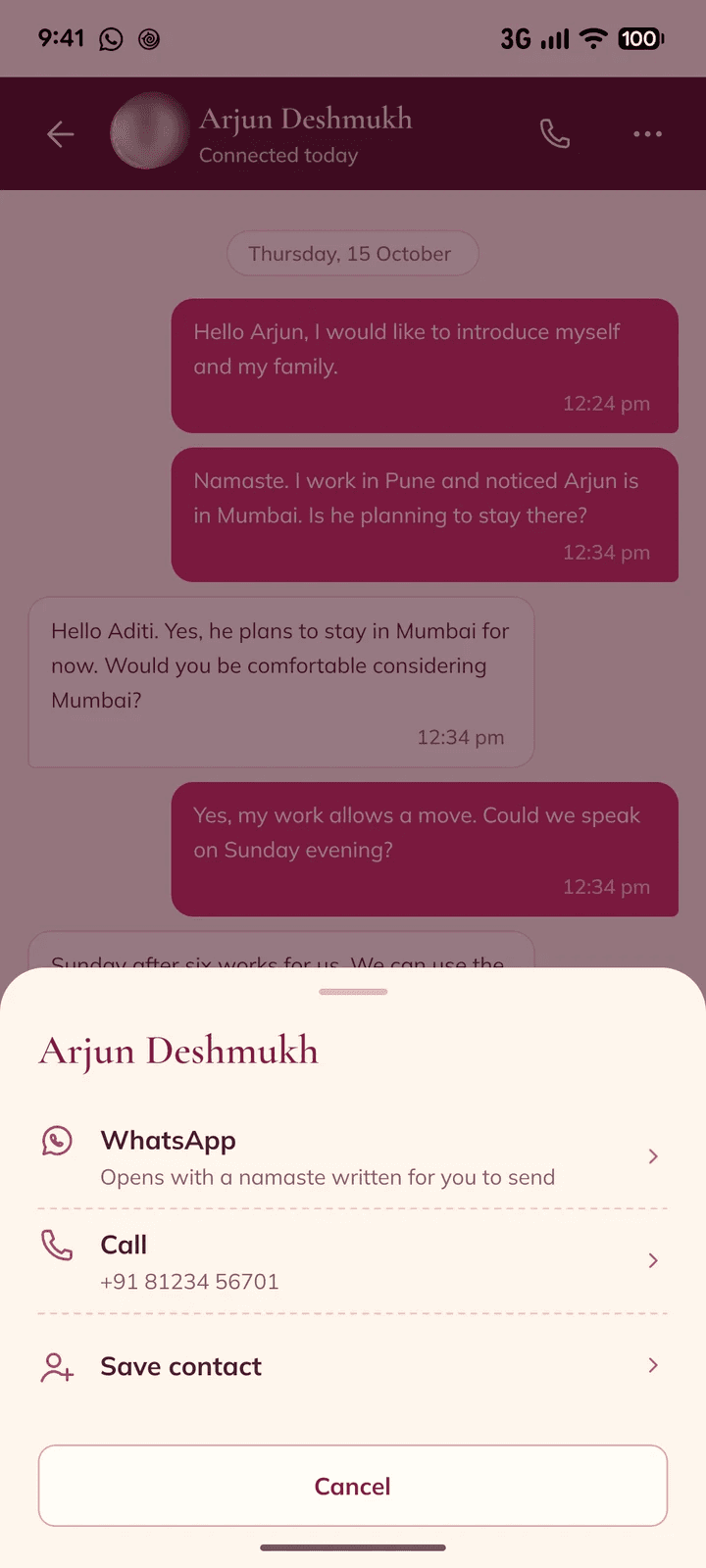
You both say yes, then talk
Chat in the app, call or WhatsApp. The number shows only now.
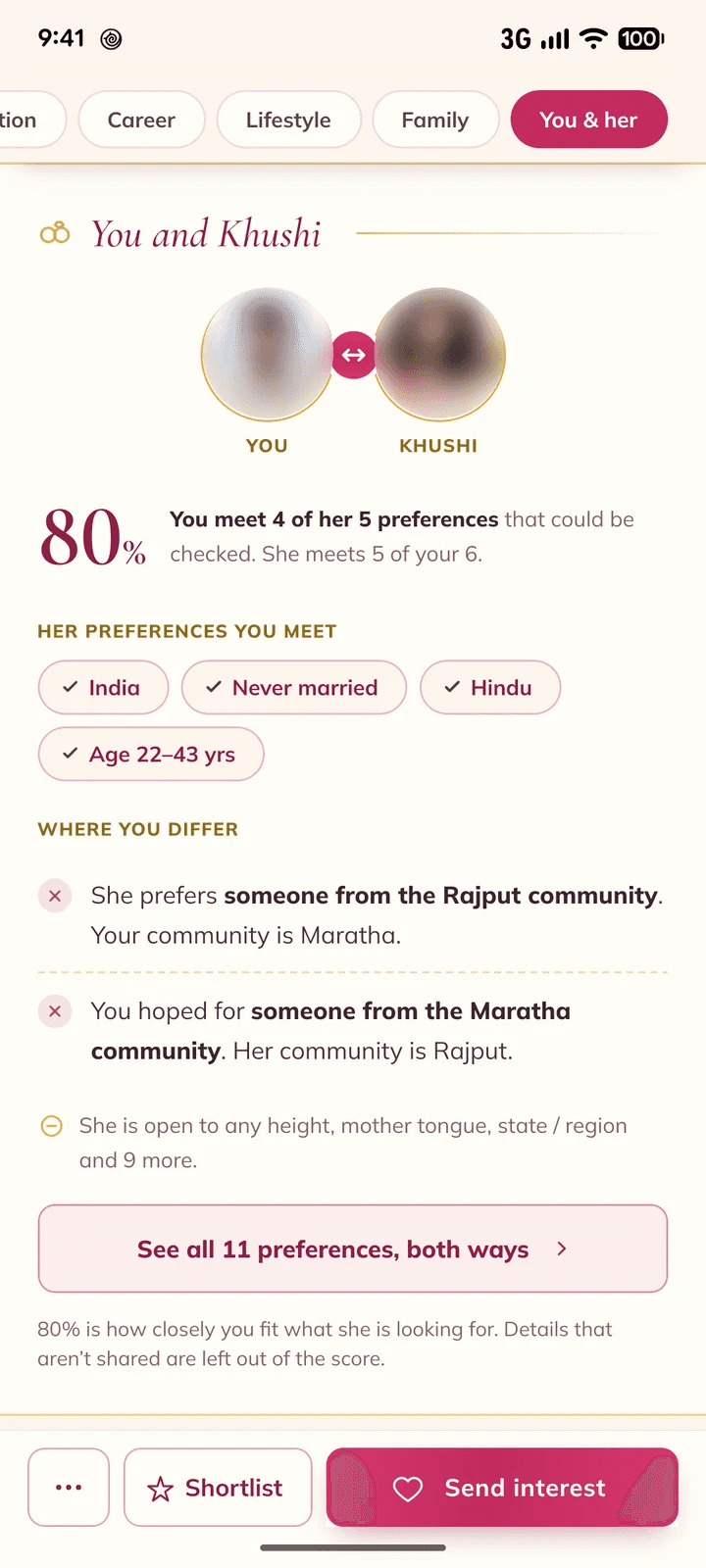
See where you match and differ
Every profile shows which of their preferences you meet, which of yours they meet, and where you differ.
-
Verified badge
The member took a selfie in the app and it was checked against their photos.
-
Start from your biodata
Made a biodata on marriagebiodata.app? Vivaah offers to bring in its details and photo.
-
English, Hindi and Marathi
Change the language any time in the app’s settings.
Questions families ask
Is Vivaah free?
Yes. Making a profile, sending interests and chatting are free.
Who can see my phone number?
Only people you’ve connected with: you both said yes to an interest. If you end a connection, they no longer see your number in the app.
Who can send me an interest?
Only people who meet your must-haves. And nobody can send more than 20 interests a week.
Can parents make the profile?
Yes. Parents, a brother or a sister can make the profile and run it. Every profile shows who manages it.
Can I use the biodata I made on marriagebiodata.app?
Yes. Install Vivaah from the link on marriagebiodata.app, or sign in with the number you paid with, and the app offers to bring in the name, birth details, height and photo.
Can I keep my photos private?
Yes. Mark a photo private and it stays blurred for others until you both say yes.
How do I sign in?
With your mobile number and a code we send on WhatsApp.
Is there an iPhone app?
It’s on its way to the App Store. On Android, get Vivaah from Google Play now.
How do I delete my account?
In the app’s settings, or with the form on our delete-account page .
Make the profile today
Free. In English, Hindi and Marathi.

Support
Write to us on WhatsApp at +91 63646 50078.
Message us on WhatsApp